
HakoCut · CapCut-familiar · Mac · Windows · Linux
Edit like CapCut. Finish in a fraction of the time.
Talk to a real multi-track timeline — find stock, cut dead air, turn audio into a quick video, or generate images and video on your own computer by chatting. No per-generation fees for local runs. Your media stays local unless you turn on sync.
- ·Free export · no watermark
- ·Chat to edit · review every step
DEMO: chat edit → stock placed → export
Who it's for
Built for people who already edit — and hate the busywork.
01
Creators with too much footage
Too many clips. Not enough time. Clean, cut, and ship without babysitting every scrub.
02
Editors tired of hunting footage
Stop tab-switching through stock sites. Describe what you need and place it on the timeline.
03
Anyone with audio who needs a video tonight
Drop a voiceover. Get an animated explainer with changing images — or a stock-footage cut — fast.
04
Anyone who wants AI media without a meter running
Generate images and videos on your computer or iPhone by chatting. Local runs don't cost a dime per generation.
Capabilities
Four ways HakoCut finishes the cut
Raw footage → usable cut
Describe the cut. Remove dead air, tighten boundaries, land on a real editable timeline. Review each step before it applies.
Chat the cut → review steps → editable timeline
Stop hunting stock
Ask for the B-roll you need. HakoCut finds and places footage so you keep editing instead of searching.
Describe B-roll → stock found → placed on timeline
Audio → quick video
One audio file in. Animated explainer with image changes — or stock footage synced to the VO. Export when it looks right.
Drop audio → images or stock synced → export
Chat → images & video on your machine
Generate images and videos on your computer or iPhone by chatting — no per-generation fees, no cloud bill for local runs. Describe what you want; it lands on the timeline.
Chat the look → generate on-device → place on timeline
The editor
Looks like CapCut on purpose.
HakoCut is built to feel familiar — CapCut-like editing so you don't relearn the craft. The difference: you can talk to the timeline, generate images and videos on-device by chatting, and clear the busywork without giving up a real multi-track editor.
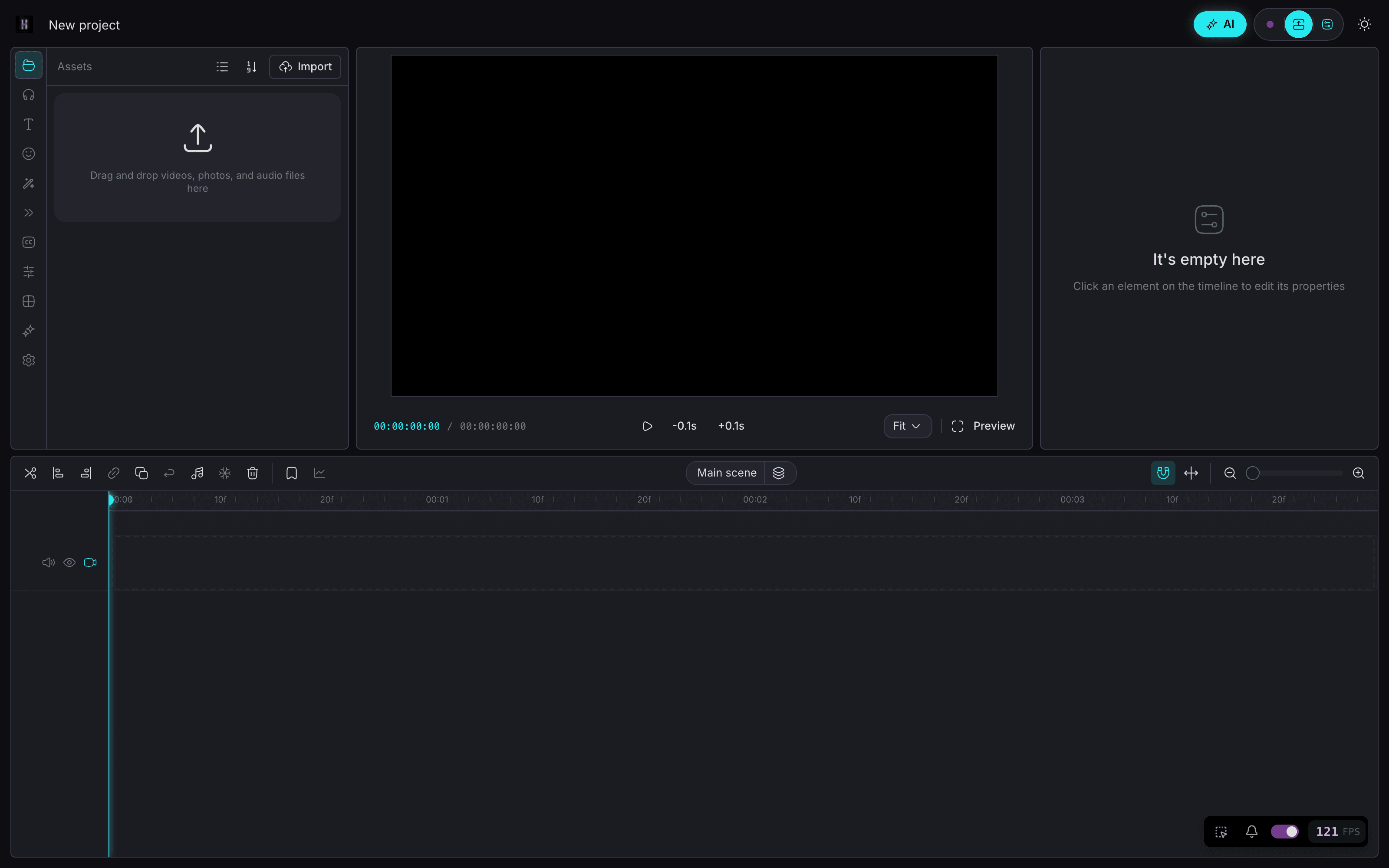
- Same mental model: timeline, clips, export
- Chat when you want speed; timeline when you want control
- Ask mode = read-only Q&A over your footage (no accidental edits)
- Edit mode = reviewable workflows you approve step by step
- Chat → generate images & video on your machine — no per-gen bill
Local-first · on-device AI
AI that works where you work.
Core agent runs on your devices. Chat to generate images on iPhone and video on Mac — on your hardware, without paying per generation. Keep projects local-first. Sync only if you want the same project on phone and desktop.
- On-device chat agent on iPhone, Android, Mac, and Windows
- Chat to generate images on your own machine — while you edit
- Chat to generate video locally on Mac — no cloud meter
- Local-first media — your files stay on device by default
- Cross-device projects when you sign in (optional)
How it works
Describe the cut. Review the plan. Keep the timeline.
01
Ask what's in your footage
Read-only Q&A — explore clips without touching the timeline.
02
Switch to Edit — get a numbered plan
Describe the cut, stock, or image/video to generate. Review before anything runs.
03
Run one step, several, or all
Approve what you want — including on-device gens. Undo anytime.
04
Export free, no watermark
Ship when the timeline looks right. Local gen didn't meter you.
Pricing
Editing is free. Pro is $59 a year.
Free editor forever, no watermark. Pro adds cloud sync, deep editing memory, and the full talk-to-edit agent.
Free
$0
- —CapCut-familiar editor
- —Multi-track timeline editing
- —Export with no watermark
- —Chat → on-device image & video generation
Pro · founder rate
$89$59 per year
- —Cloud sync across every device you own
- —Deep editing memory + labeled patterns
- —Full talk-to-edit agent
- —Founder rate locked for life
Or $10.99 a month. Lifetime is $300 once.
Founder rate locked for life — it stays $59/year for as long as you keep the subscription. Cancel anytime. Generation runs on your own hardware, so there are no per-generation fees.
FAQ
CapCut is a great editor. HakoCut keeps that familiar feel and adds talk-to-edit on a real multi-track timeline — stock hunt, cleanup, audio→video, and on-device generation via chat — with free export and no watermark.
No. Ask mode is read-only. Edit mode returns a plan you review. Run step-by-step or all at once. Undo anytime.
Yes. Describe what you want in chat. Image and video generation run locally on your own computer today — iPhone is coming. Local runs don't charge per generation — you're using your own hardware.
Yes. The core agent and image generation run on your own machine. Some cloud features on other platforms may use your own API keys.
Local image and video generation on your device doesn't bill per generation. Optional cloud gen may use your own API keys. Export stays free with no watermark.
Yes. No watermark.
Local-first by default. Sync is opt-in when you sign in across devices.
HakoCut builds on an OpenCut / CapCut-like foundation so the editor feels familiar and the learning curve stays low.
Yes. Pro is $59/year at the founder rate, or $10.99/month. The founder rate is locked for life while you stay subscribed. Editing and export stay free forever, and a $300 one-time lifetime licence is available if you'd rather not renew.